Hookify: The Tool That Makes Writing Claude Code Hooks Actually Enjoyable

Get the tool: hookify
The Problem With My Own Advice
A few months ago, I wrote a whole post about Claude Code hooks. PreToolUse, PostToolUse, Stop events - the works. I explained how hooks let you intercept and validate Claude's actions before they happen. I gave examples. I showed JSON configurations. I evangelized the concept.
And then I spent the next several weeks... not writing hooks.
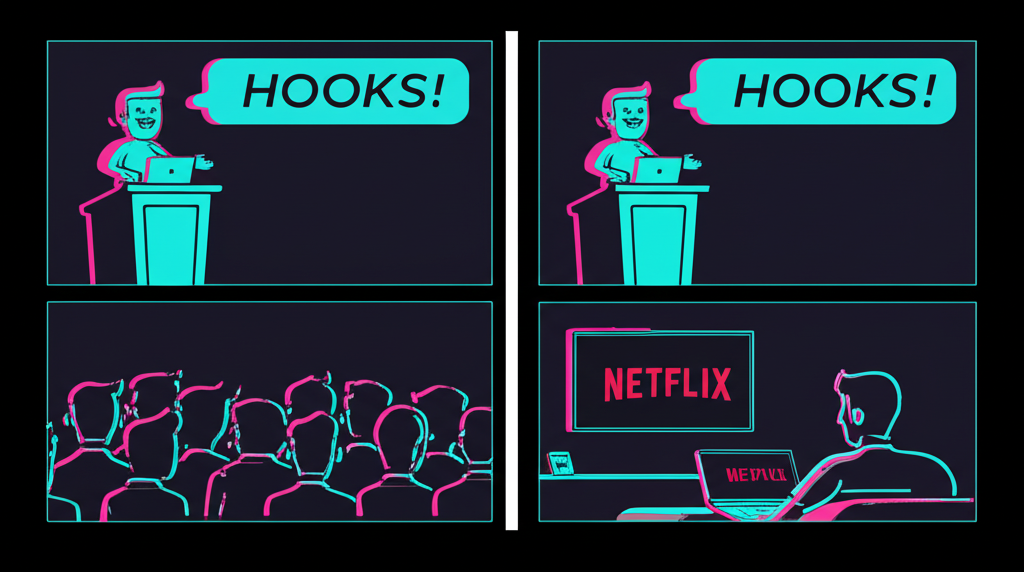
Not because they're not useful. They absolutely are. But because every time I wanted to add a simple guardrail, I had to:
- Open
hooks.json - Remember the exact syntax
- Figure out the right matcher pattern
- Write the prompt or script
- Test it
- Fix the JSON I inevitably broke

- Test it again
For a tool that's supposed to save time, I was spending a lot of time setting it up. There had to be a better way.
There is. It's called Hookify.
What Hookify Actually Does
Hookify is a Claude Code plugin that turns hook creation from a manual JSON-editing exercise into a conversational workflow. Instead of crafting configuration files by hand, you tell Hookify what behavior you want to prevent, and it creates the rule for you.
Here's the simplest example:
/hookify Warn me when I use rm -rf commands
That's it. Hookify analyzes your request, generates a properly formatted rule file, and places it in your project's .claude/ directory. The hook is active immediately - no restart needed.
The generated file looks like this:
---
name: warn-dangerous-rm
enabled: true
event: bash
pattern: rm\s+-rf
action: warn
---

This command could delete important files. Please:
- Verify the path is correct
- Consider using a safer approach
- Make sure you have backups
Notice that's Markdown, not JSON. Hookify uses a simpler format: YAML frontmatter for configuration, Markdown body for the message shown to Claude. Human-readable, version-controllable, and easy to edit by hand if you need to tweak something later.
The Commands
Hookify comes with four commands:
/hookify - The main event. Pass it instructions directly, or run it without arguments to have it analyze your recent conversation for behaviors you've been correcting.
/hookify:list - Shows all configured rules in a table format. Which are enabled, what patterns they match, what events they trigger on.
/hookify:configure - Interactive toggle for enabling/disabling rules. Select from a list, hit enter, done.
/hookify:help - Documentation when you need it.
The /hookify command without arguments is particularly clever. It looks at your recent conversation history and identifies patterns: things you've corrected, actions you've told Claude to avoid, moments of frustration where Claude did something you didn't want. Then it offers to create rules for those behaviors.
It's like having someone read your commit messages and suggest lint rules.
The Conversation Analyzer
Here's what happened when I ran /hookify without arguments after a frustrating debugging session:
Hookify scanned my conversation and found:
- I'd corrected Claude three times for adding
console.logstatements - I'd asked Claude to stop modifying files in the
dist/directory - I'd manually reverted an edit to my
.envfile
It presented these as options:
Which behaviors would you like to hookify?

[ ] Block console.log additions
    Description: Prevent console.log in TypeScript files

[ ] Warn on dist/ directory edits
    Description: Show warning before modifying generated files

[ ] Block .env file edits
    Description: Prevent accidental credential file modifications
I selected all three. For each one, Hookify asked whether to warn (show message but allow) or block (prevent entirely). Then it generated the rule files.
Three guardrails, configured in about 30 seconds. The same rules would have taken me 15 minutes to write manually, assuming I didn't mess up the JSON.
The Rule Format
Hookify rules live in .claude/hookify.{name}.local.md files. The format is simple enough that you can write them by hand if you want:
---
name: block-console-log
enabled: true
event: file
pattern: console\.log\(
action: block
---

Debug logging detected. Please use a proper logging library or remove before committing.
For more complex rules, you can use conditions:
---
name: api-key-in-typescript
enabled: true
event: file
conditions:
  - field: file_path
    operator: regex_match
    pattern: \.tsx?$
  - field: new_text
    operator: regex_match
    pattern: (API_KEY|SECRET|TOKEN)\s*=\s*["']
---

Hardcoded credential detected in TypeScript file.

Use environment variables instead:
- Store in .env file
- Access via process.env.YOUR_KEY
- Never commit secrets to version control
All conditions must match for the rule to trigger. You can check file paths, file content, bash commands - whatever makes sense for your use case.
Event Types
Rules can trigger on different events:
- bash: Bash command execution
- file: Edit, Write, or MultiEdit operations
- stop: When Claude thinks it's done with a task
- prompt: When you submit a prompt (useful for reminders)
- all: Everything
The stop event is particularly useful for completion checks:
---
name: require-tests-run
enabled: true
event: stop
action: block
conditions:
  - field: transcript
    operator: not_contains
    pattern: npm test|pytest|cargo test
---

Tests not detected in transcript!

Before stopping, please run tests to verify your changes work correctly.
This blocks Claude from declaring victory until tests have actually been run. It's the "did you actually test this?" hook from my earlier post, but now it takes 10 seconds to create.
Why This Matters
Hooks are about building guardrails. They're about encoding your standards into automated checks that run without your attention. They catch the mistakes before they become commits.
But tools only work if you use them. And I wasn't using hooks, despite knowing they were valuable, because the friction was too high.
Hookify removes that friction. Want a rule? Ask for it. Want to see your rules? List them. Want to toggle one off? Configure it interactively. No JSON editing. No syntax errors. No restarts.
The plugin itself uses hooks internally - it hooks into PreToolUse to check Bash commands and file edits against your rules, and into Stop events to enforce completion requirements. Hooks checking hooks. It's hooks all the way down.
Getting Started
Hookify is part of the Claude Code plugin ecosystem. If you've got the marketplace installed, it should be available automatically.
Start simple:
/hookify Don't let me commit files with TODO comments
Or let it analyze your workflow:
/hookify
Then look at what it creates. The rule files are in .claude/ - read them, understand them, tweak them if needed. The format is designed to be obvious.
For more plugins and tools, check out the agents-skills-plugins repo. And for more of my experiments with AI development workflows, visit chainbytes.com.
I wrote a whole post about how powerful hooks are. Then I spent weeks not writing hooks because the process was annoying. Hookify fixed that problem by meeting me where I am: in a conversation with Claude, describing what I want in plain English.
The best developer tools don't add complexity. They remove the complexity that was keeping you from doing the thing you already knew you should do.
"The perfect guard rail is the one you actually build."
One reaction per emoji per post.
// newsletter
Get dispatches from the edge
Field notes on AI systems, autonomous tooling, and what breaks when it all gets real.
You will be redirected to Substack to confirm your subscription.