Running a PicoClaw Fleet from OpenClaw

Series:
- PicoClaw vs OpenClaw: A Code-Level Deep Dive
- What You Lose (and Gain) Running PicoClaw Instead of OpenClaw
- Running an AI Agent on a $10 Board vs a Mac Mini
- Running a PicoClaw Fleet from OpenClaw
The first three parts of this series treated OpenClaw and PicoClaw as competing choices. Pick one, live with the tradeoffs.
That framing was useful for comparison. But it missed the more interesting play.
You do not have to choose.
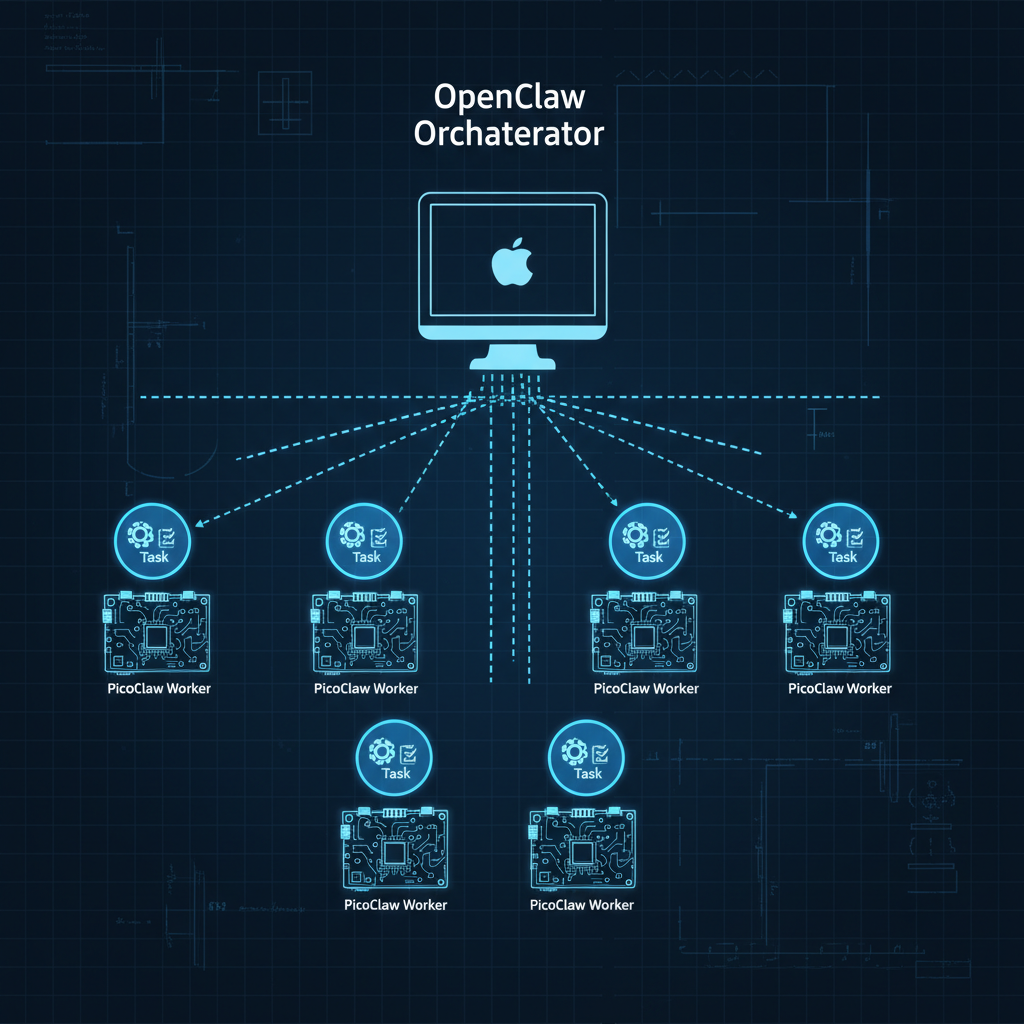
OpenClaw runs on your Mac Mini as the orchestrator. PicoClaw runs on every cheap SSH-reachable host in your network as a disposable worker. One command from OpenClaw deploys a PicoClaw agent to a remote machine, dispatches a task, collects the result, and tears it down. You get OpenClaw's capability ceiling and PicoClaw's cost floor at the same time.
That is what picoclaw-fleet is.
What it actually is
picoclaw-fleet is an OpenClaw skill. You drop it into your skills/ directory, point it at a fleet config, and get four things:
- Fleet health checks across all your hosts
- Zero-to-ready deploy of PicoClaw to any SSH host by architecture
- One-shot task dispatch with configurable timeout
- Parallel fanout across multiple hosts simultaneously
The whole thing runs over SSH. No agents pre-installed, no persistent daemons, no ports to open. If you can SSH into a box, you can run PicoClaw on it.
The fleet config
Everything starts with a config file at ~/.openclaw/workspace/config/picoclaw-fleet.json:
{
  "hosts": [
    {
      "name": "darth",
      "host": "192.168.50.57",
      "user": "eric",
      "arch": "arm64",
      "ssh_key": "~/.ssh/id_rsa"
    },
    {
      "name": "rpi-sensor",
      "host": "192.168.50.90",
      "user": "pi",
      "arch": "arm64",
      "ssh_key": "~/.ssh/id_rsa"
    },
    {
      "name": "vps-worker",
      "host": "203.0.113.5",
      "user": "deploy",
      "arch": "amd64",
      "ssh_key": "~/.ssh/deploy_rsa"
    }
  ],
  "defaults": {
    "provider": "anthropic",
    "api_key_env": "ANTHROPIC_API_KEY"
  }
}
You can mix architectures. arm64 for Pi boards and homelab nodes, amd64 for cloud VMs. The deploy script pulls the right binary from GitHub releases automatically.
Deploying to a host
The deploy script does everything in one pass:
ANTHROPIC_API_KEY=sk-... ./scripts/deploy.sh 192.168.50.57 eric arm64 ~/.ssh/id_rsa
What it actually does:
- SSH into the host
- Pull the latest PicoClaw binary for the target architecture from GitHub releases
- Write
~/.picoclaw/.envwith the API key and provider config - Run
picoclaw onboardto initialize the workspace - Report back ready
From cold metal to running agent in under 60 seconds on a local network. On a cloud VPS with a slower connection, call it 2-3 minutes.
You can also check fleet status before dispatching anything:
./scripts/fleet-status.sh
This hits every host in your config, checks SSH reachability, and reports whether PicoClaw is installed and which version is running. Useful before kicking off a big parallel job.
Dispatching a task
Once a host is deployed, you dispatch tasks like this:
./scripts/dispatch.sh 192.168.50.57 eric "Summarize the last 24h of syslog events" 120
Arguments: host, user, task prompt, timeout in seconds.
The script SSHes in, runs picoclaw agent -m "your task", captures stdout, and returns it. The PicoClaw agent on the remote host handles the full tool loop: reading logs, running commands, formatting output, all of it. Your OpenClaw session just gets back the finished result.
The timeout is hard. If the task is not done in 120 seconds, it kills the agent and returns whatever partial output exists. Useful for keeping fleet jobs bounded when you are dispatching many of them.
Parallel fanout
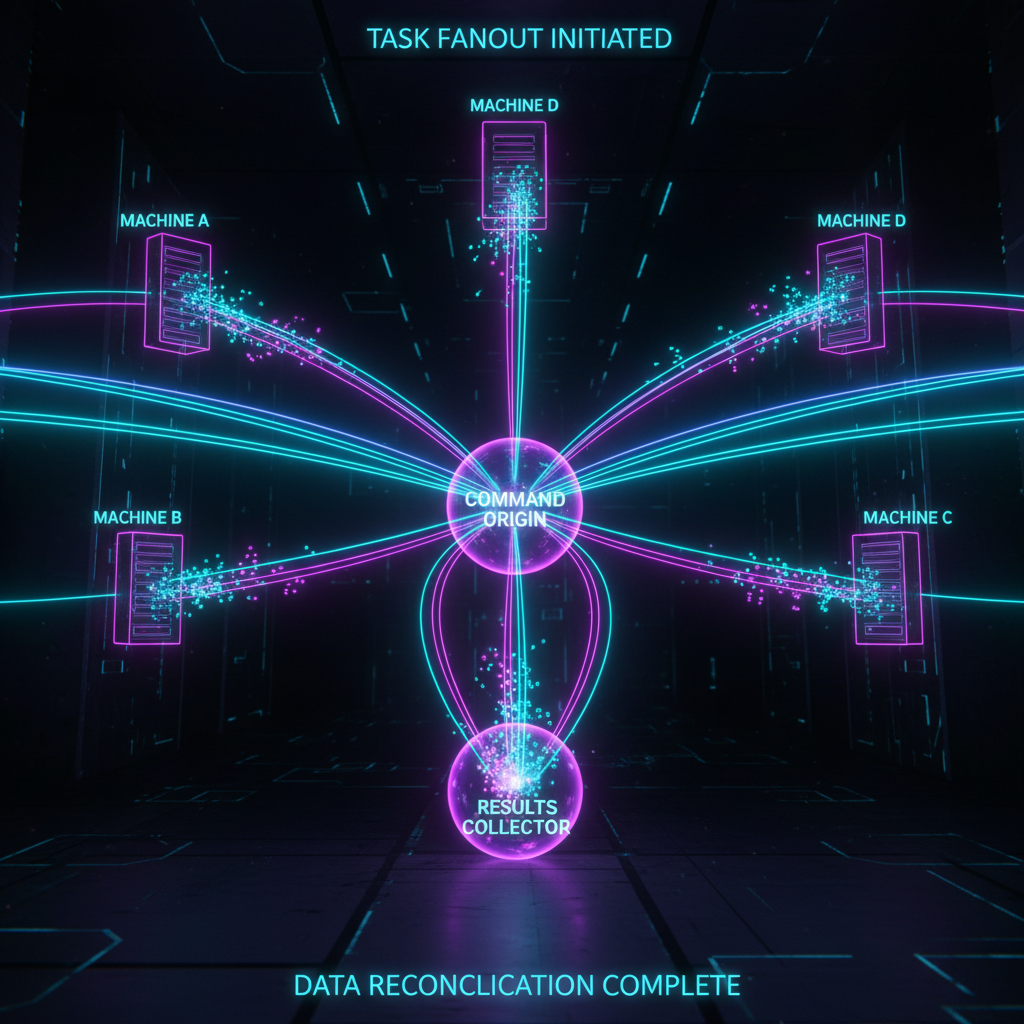
The interesting case is running the same task across many hosts at once:
# Check disk usage on every host in the fleet
for host in darth rpi-sensor vps-worker; do
  ./scripts/dispatch.sh $host eric "Report disk usage on all mounted volumes, flag anything over 80%" 60 &
done
wait
Each dispatch runs as a background job. They execute in parallel, each on its own PicoClaw instance on its own machine, and all report back when done. No shared state, no coordination overhead.
This is where the architecture really pays off. You are not running a distributed agent framework with consensus and state replication. You are just running independent agents in parallel over SSH and collecting their outputs. Simple, fast, and failure in one worker does not affect the others.
Real use cases I have used this pattern for:
- Collect syslog summaries from 6 homelab machines in one shot
- Run security checks across multiple servers simultaneously
- Pull git status from every development machine in the network
- Distribute a scraping or processing job across multiple VMs
Ephemeral teardown
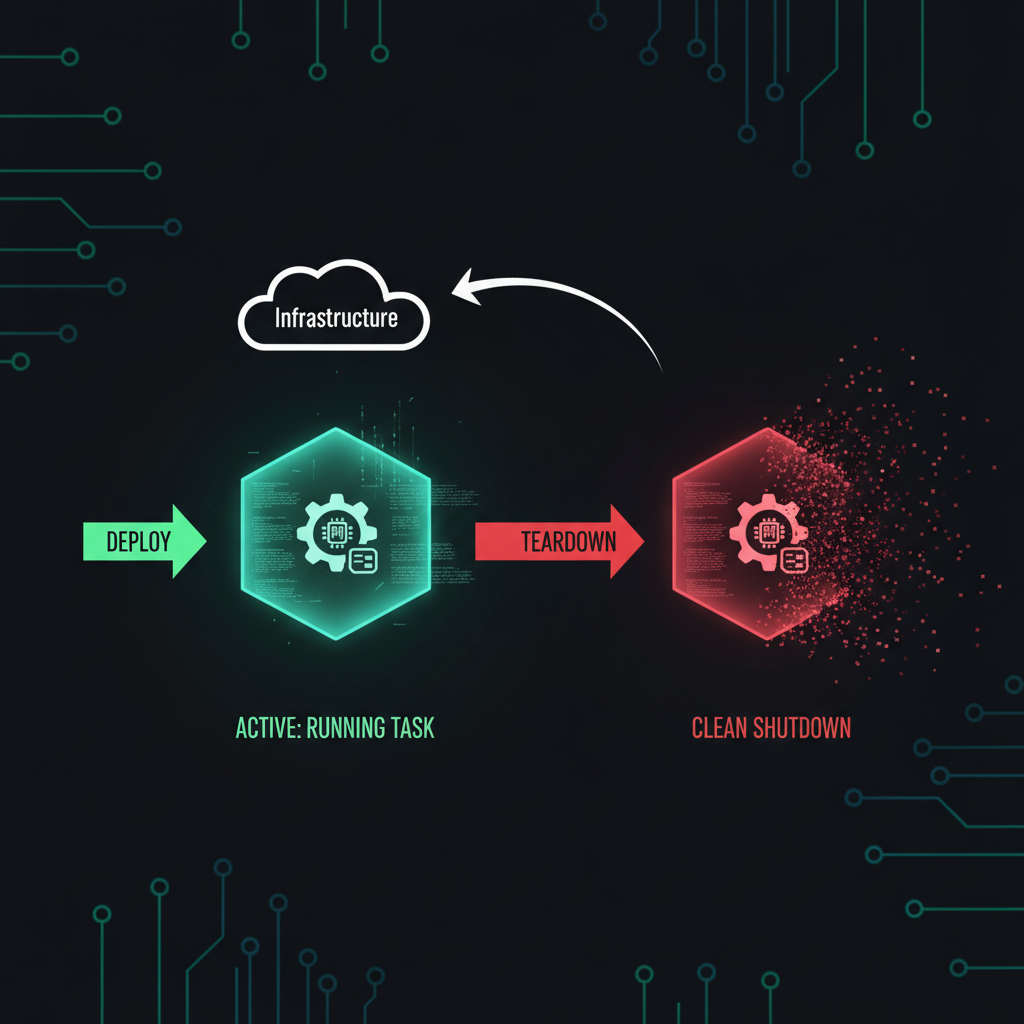
If you want clean workers with no persistence, the teardown flag removes PicoClaw after task completion:
./scripts/dispatch.sh 192.168.50.57 eric "Run the nightly audit and return the report" 300 --teardown
Deploy, run, collect, gone. The host is back to a clean state. No agent process, no workspace files, no API keys sitting on disk.
This is useful for:
- Cloud VMs you spin up just for a job
- Shared machines where you do not want persistent agent state
- One-off tasks on hardware you do not fully control
The architecture in practice
Here is how I actually think about the split:
OpenClaw on the Mac Mini handles:
- Strategy and orchestration
- Deciding which hosts get which tasks
- Collecting and synthesizing results
- Long-running memory and session state
- Browser automation, canvas, paired nodes
- Anything that needs full platform capability
PicoClaw on the fleet handles:
- Isolated execution on remote machines
- Tasks that need to run where the data is
- Parallel workloads that benefit from distribution
- Anything you want to keep off the main machine
- Ephemeral jobs where clean teardown matters
The key insight is that PicoClaw on a remote host can read local files, run local commands, and access local network resources that the OpenClaw orchestrator cannot reach directly. A PicoClaw agent on a Pi sensor board can read its GPIO state. A PicoClaw agent on a log server can grep through files that are not mounted anywhere else. You get local access from a remote orchestrator.
Getting started
# Clone into your skills directory
cd ~/.openclaw/skills
git clone https://github.com/EricGrill/picoclaw-fleet
cd picoclaw-fleet
chmod +x scripts/*.sh

# Create your fleet config
mkdir -p ~/.openclaw/workspace/config
cp config/picoclaw-fleet.example.json ~/.openclaw/workspace/config/picoclaw-fleet.json
# Edit it with your hosts

# Check fleet status
./scripts/fleet-status.sh

# Deploy to first host
ANTHROPIC_API_KEY=your-key ./scripts/deploy.sh your-host user arm64 ~/.ssh/id_rsa

# Dispatch a test task
./scripts/dispatch.sh your-host user "What is the current load average and memory usage on this machine?" 30
Closing thought
The first three parts of this series were about the tradeoffs between two different takes on the same problem. This one is about what happens when you stop treating them as alternatives.
OpenClaw is better at being the brain. PicoClaw is better at being a cheap, fast, disposable worker. That is not a problem to solve. It is an architecture to use.
Fleet it.
One reaction per emoji per post.
// newsletter
Get dispatches from the edge
Field notes on AI systems, autonomous tooling, and what breaks when it all gets real.
You will be redirected to Substack to confirm your subscription.